Grow Your Discord Server

Join the powerful advertising network connecting thousands of Discord communities

51 Active Servers
3700 Active Users
99.9 Uptime
Dashboard

Promy Dashboard

Discord Server Advertising Network

Welcome to Promy, the Discord bot that helps servers grow through a powerful advertising network. Promy connects thousands of users from different communities in a fair exchange system.

When you advertise your server, it gets shown across the entire network of connected servers. At the same time, you receive advertisements from other communities looking to grow. It is a win-win situation where everyone benefits from increased exposure.

The network effect means the more servers that join Promy, the more reach everyone gets. Your server ad appears in bump channels across all connected communities, giving you access to real users actively exploring new servers and gain access to new opportunities.

Before using Promy, please review our community guidelines, terms of service, and privacy policy using the menu below. These policies help maintain a safe and fair network for all participating servers.
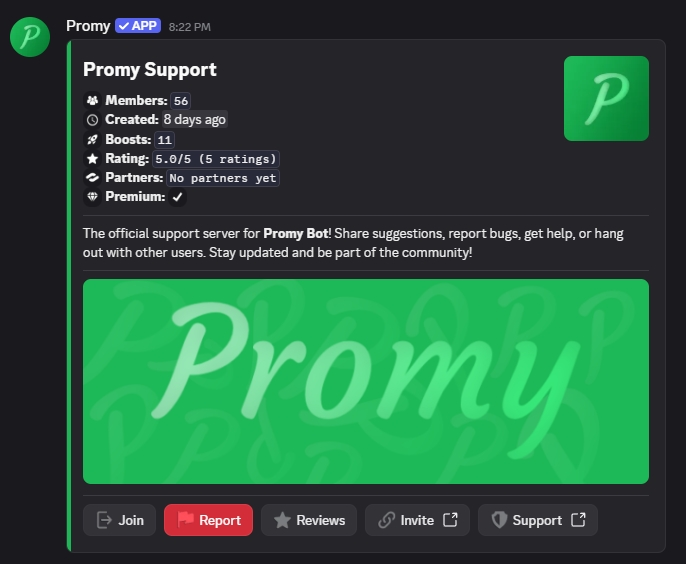
Promy Dashboard

Command Showcase

Easy-to-use commands to manage your server advertising

/

bump

Advertise your server across the entire Promy network

/

help

Get information about Promy commands and features

/

preview

Preview how your server advertisement will appear to others

/

review

Leave a review or view reviews from other servers

Frequently Asked Questions

Find answers to common questions about Promy and how it works

What is Promy?

+

Promy is a Discord server advertising bot that connects thousands of users from different communities through a network exchange system. When you bump your server, it gets advertised across all connected servers, and you receive ads from other servers in return. You can also create direct partnerships with other servers for permanent ad placement.

How does the network work?

+

When you bump your server, your advertisement is sent to every connected server's bump channel instantly. In exchange, you receive advertisements from other servers in your designated bump channel. The more servers that join, the more exposure everyone gets.

What are server partnerships?

+

Partnerships let you create direct relationships with other servers to exchange permanent ads in dedicated channels. Unlike regular bumps that rotate through the network, partnership ads stay visible in your partner's channel indefinitely. Use `/partner action:Partner with Server` to send a partnership request to another server.

How often can I bump my server?

+

You can manually bump your server every 3 hours. Premium users get access to auto-bump, which automatically bumps your server every 3 hours without any manual action required.

Is Promy free to use?

+

Yes, all core features of Promy are completely free, including partnerships. We offer optional premium upgrades for features like auto-bump, image/banner customizations and review notifications. But the basic advertising functionality is available to everyone at no cost.

What can I customize in my ad?

+

You can customize your server description up to 1000 characters, choose custom colors for your embed, and add optional banner images to make your advertisement stand out.

Why must my bump channel be visible to everyone?

+

The bump channel must be visible to `@everyone` so new members who join from advertisements can see other server ads. This creates a fair exchange and helps all servers in the network grow together. Partnership channels must also be visible to `@everyone` for the same reason.

What happens if I post inappropriate content?

+

Servers that post inappropriate content, spam, or violate our terms of service will be blacklisted from the network. We maintain a safe environment for all participating communities.

Can I leave reviews for other servers?

+

Yes, each user can leave one review per server. Reviews help other users discover quality communities and provide feedback to server owners.

How do I get support?

+

For support inquiries, please use our ticket system in 📬・ticket. You can also reach out in the community support channel to receive help from members and staff in ❓・community-support. Our team is here to help with any questions or issues you encounter.